
CareDesk queues are powerful tools for encounter management. Starting with the design of queue cards, to the powerful queue filters, to routing, they are designed to increase efficiency and take the mental burden off of agents and nurses.
TAKE THIS RESOURCE WITH YOU
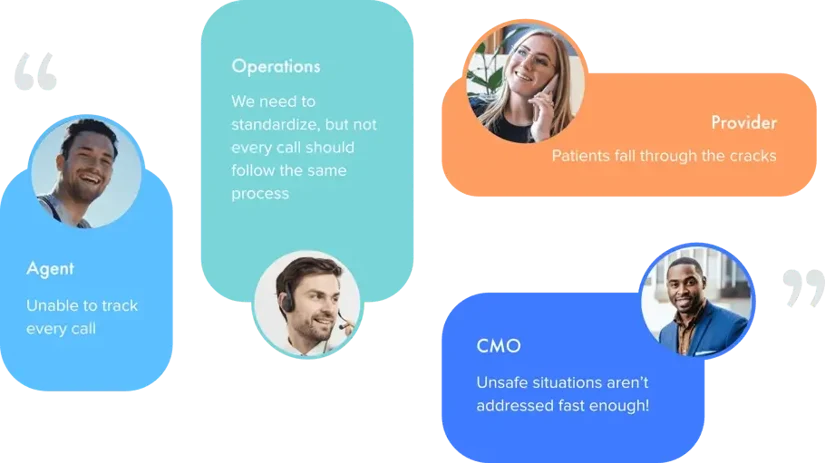
Never let another patient request fall through the cracks. Track every contact and automate routing and priority by patient need, staff skills, workflow, and more. Define your different workflows based on number of callback attempts, acuity of call, primary care provider, and more. Automated queue routing makes it easy to segregate encounters and automate call handling logic.

A queue Service Level (SLA) is the time by which encounters in a queue should be handled. A big-bold timer will turn red after the queue goal has passed, and alerts may be sent.

After the SLA has been exceeded in a queue, an alert can be raised via email, SMS, or EHR message (with some EHR integrations).

The following types of routing logic can be configured.
+ Route according to patient symptoms and needs.
+ Route according to provider and specialty needs.
+ Route based on number of outreach attempts.
+ Route based on what happens during patient outreach.


These ensure consistency across ALL calls and reduce the mental burden of users.
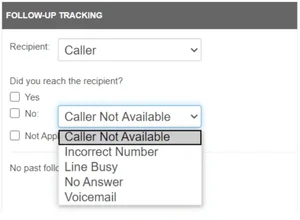
When making outbound calls, the first prompt users get is for whether the call connected. This call tracking can connect to a caller or to the on-call provider. Failed attempts are easily documented with a dropdown and a click.
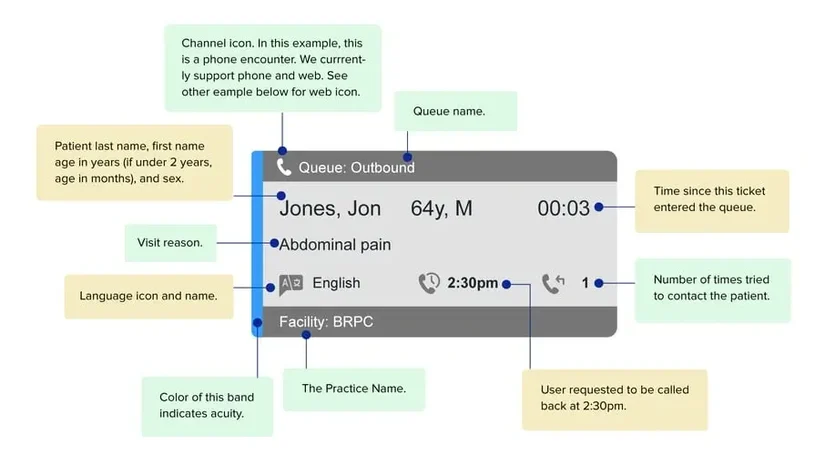
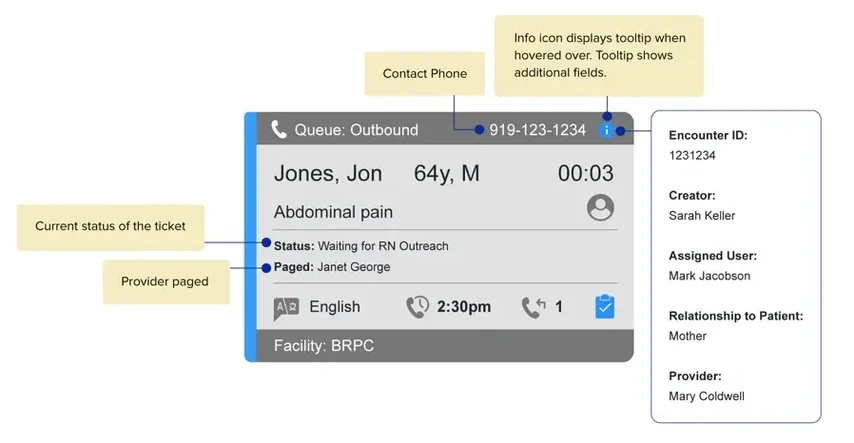
Queue cards are designed for fast, efficient comprehension of each encounter in a small visual space. Once users are accustomed to each card, they can take in the pertinent features in a glance
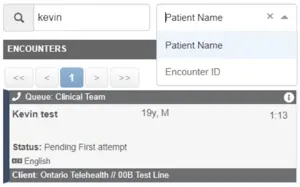
No matter how good the queue design, an overwhelmed queue can sometimes feel unwieldy. Our filters give you unparalleled control over what users see, allowing them to drill down to just the encounter. Turn queues into a workflow tool. The search field at the top lets you find encounters by name or by encounter ID:
Let’s say that after a long day of work, you log out and get the following error:

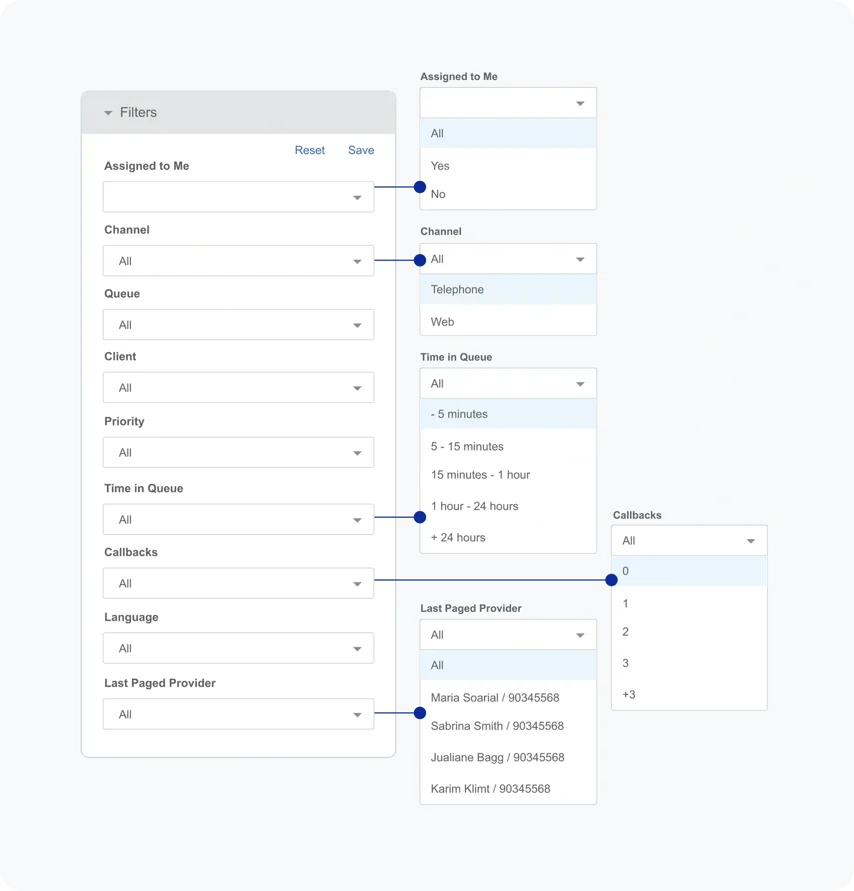
You can immediately use the filters along the side to locate encounters waiting for provider callback, encounters you have open, encounters for a specific client, and more. Filters available are:
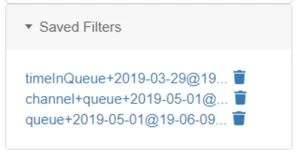
After users have configured a combination of filters that they like, they can save this combination as a set, to be quickly selected later:
Feel free to send us a message.