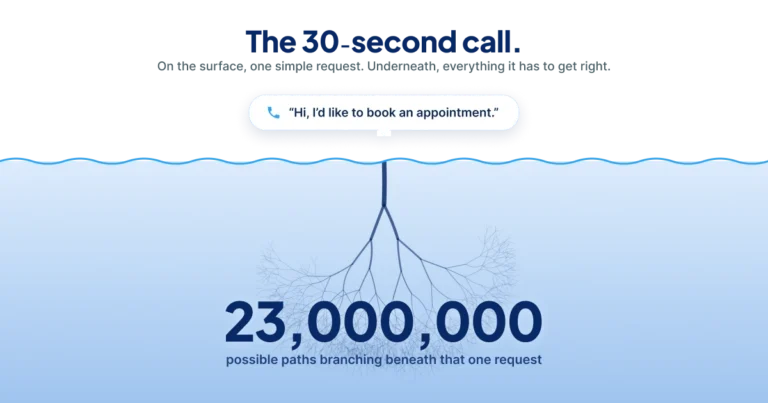


An appointment reminder system needs to do more than send a text. It needs to give the patient a way to act on it. If a reminder can only say “you have an appointment Tuesday at 3,” every patient who can’t make Tuesday at 3 has exactly one option: call you back. The reminder didn’t reduce your call volume. It scheduled a call for later.
That’s the gap most practices are living with. Reminders go out, no-shows drop a little, and the phones stay just as loud as before.
The part reminders are supposed to fix
No-shows cost twice. There’s the empty slot, which is revenue that doesn’t come back. And there’s the staff time spent chasing the rebooking afterward, which comes out of the same team already covering the phones.
A reminder is supposed to interrupt that. The patient gets a nudge, remembers, and shows up. When it works, it works quietly.
The trouble is that a reminder only prevents the no-shows caused by forgetting. It does nothing for the much larger group of patients who remember perfectly well and simply can’t come. Those patients need to reschedule. If your reminder can’t take a reschedule, it hands them back to the phone queue.
Three ways reminders create call volume instead of reducing it
One-way messages with no reply path. A text that says “do not reply to this message” tells a patient who needs to move their appointment that the only route is calling. You’ve spent money to generate an inbound call.
Reschedule requests that leave the thread. Some reminders let a patient reply, then answer with “please call our office to reschedule.” That’s the same dead end with extra steps, and it’s worse, because the patient already told you what they needed and you asked them to repeat it somewhere else.
Bad timing. A reminder sent three weeks out gets forgotten again before the appointment. One sent two hours out arrives after the patient has already made other plans. Neither gives anyone time to do anything useful with the information.
The pattern in all three is the same. The reminder communicates, but it doesn’t resolve.
What a reminder should be able to finish
The useful version treats “I can’t make it” as the start of a rebooking, not the end of a conversation.
That means the reminder is connected to the same scheduling engine your staff uses. When a patient replies that Tuesday doesn’t work, the system already knows the visit type, the provider, the required resources, and what else is open. It can offer a real alternative on the spot, and the slot the patient gave up goes back into circulation instead of sitting empty.
This is why reminders belong inside your patient access system rather than beside it. A standalone reminder tool can tell people things. It can’t rebook them, because it doesn’t know your scheduling rules.
CareDesk handles reminders as part of the same workflow that runs scheduling and triage, so a reply becomes a booked appointment rather than a task in somebody’s queue. Across client practices, roughly 30% of appointments self-schedule at mature deployments, which means a meaningful share of rebooking never touches a staff member at all.
Picking a reminder channel
Channel matters less than response path, but it isn’t nothing.
| Channel | Typical use | The thing to check |
|---|---|---|
| SMS | Confirmations, short-notice changes | Can the patient reply and get a real answer, or is it send-only? |
| Prep instructions, longer detail | Does it survive spam filtering for your patient population? | |
| Voice | Patients who don’t text, complex prep | Does it hand off to a person with the context already loaded? |
Any of these works. What separates a reminder that reduces call volume from one that generates it is whether the patient can finish the task in the channel where they started it.
Where to start
Look at your current reminder and ask one question: if a patient wants to move this appointment, what happens next? If the honest answer is “they call us,” you’ve found the thing worth fixing. What you need is a path that ends in a rebooked appointment.
See CareDesk run on your call volume. We will model the recovered appointments and reclaimed staff hours on your numbers.
Frequently asked questions
What should an appointment reminder include?
The appointment time, the provider, the location, any prep instructions, and a way to confirm, cancel, or reschedule without placing a phone call. The last one is the part most reminders skip.
How far in advance should reminders go out?
Far enough that a patient who needs to reschedule still can, and close enough that they haven’t forgotten again. Most practices use a pair: one several days out for rescheduling, one the day before for confirmation.
Do appointment reminders actually reduce no-shows?
They reduce the no-shows caused by forgetting. They don’t address patients who know about the appointment and can’t attend, which is why a reminder that supports rescheduling outperforms one that only notifies.
Should reminders be text, email, or phone?
Whichever your patients answer. The channel matters less than whether the patient can act on the reminder in that same channel instead of being told to call.
Can appointment reminders reduce call volume?
Only if they can resolve what the patient needs. A one-way reminder moves the call to later. A reminder connected to your scheduling system can complete the reschedule and remove the call entirely.